Showing posts with label reader. Show all posts

Friday, 8 February 2013

Moon+ Reader Pro apk v1.9.0 build 190002 download

Moon+ Reader Pro v1.9.0 build 190002
Requirements: 1.6 and up
Overview: Your professional book reader for Android.
Professional book reader with powerful controls & full functions.
*Support online ebook libraries and personal calibre ebook server.
*Read local books with smooth scroll and tons of innovation.
Support txt/html/epub/umd/fb2/zip/OPDS, key features:
Full visual options: line space, font scale, bold, italic, shadow, alpha colors, fading edge etc.
10+ themes embedded, includes Day & Night mode switcher, 20+ background images, 20+ book covers.
Various types of paging: touch screen, volume keys or even camera, search or back keys.
24 customized operations (screen click, swipe gesture, hardware keys), apply to 15 customized events: search, bookmark, themes, navigation, font size and more.
5 auto-scroll modes: rolling blind mode; by pixel, by line or by page. Real-time speed control.
Adjust the brightness by sliding your finger along the left edge of the screen, gesture commands supported.
Intelligent paragraph; indent paragraph; trim unwanted blank spaces options.
“Keep your eyes health” options for long-time reading.
Real page turning effect with customized speed/color/transparent; 5 page flip animations;
My Bookshelf design: Favorites, Downloads, Authors, Tags; self bookcover, search, import supported.
Justified text alignment, hyphenation mode supported.
Highlight, Annotation, Dictionary (Offline & Online), Translation, Share functions all in moon+ ebook reader.
Localized in Bulgarian, Chinese, Czech, Danish, Dutch, English, French, German, Greek, Hungarian, Italian, Korean, Macedonian, Polish, Portuguese, Romanian, Russian, Slovak, Spanish, Swedish, Thai, Turkish and Ukrainian.
Additional benifits in pro version:
#Ad free
#Multi-point touch support
#Shake the phone to speak (Text-to-speech, TTS engine support)
#Option for password protection at startup
#Headset keys control
#Book to desktop shortcut support
#Customer email support
What’s in this version:
v1.9.0:
•Allow adjust paragraph spacing
•Auto-scroll control gestures
•Update Dual-page for landscape
•Update search actions
The Pro:
•New Carousel Coverflow mode for Shelf
•Update PDF Engine
•Speaking control gestures
•Add Speak to text-selection bar More menu
This app has NO advertisements
More Info:
Code:
 

Sunday, 27 January 2013

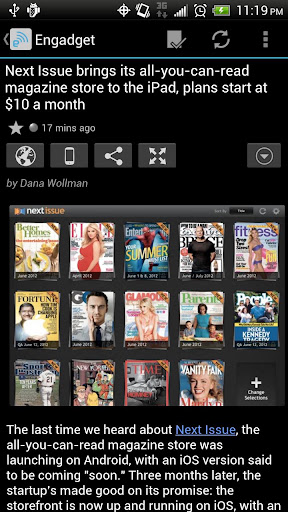
gReader Pro (Google Reader) apk v3.1.2 download

gReader Pro (Google Reader) v3.1.2
Requirements: Android OS 1.5+
Overview: gReader is an unofficial Google Reader client for Android. Read all your rss/feed news in one place with Google Reader, where keeping up with your favorite websites is as easy as checking your email.
gReader is an unofficial Google Reader client for Android. Read all your rss/feed news in one place with Google Reader, where keeping up with your favorite websites is as easy as checking your email. More on gReader (Google Reader | RSS)
NOTES:
* Please let us know of any issues you encounter via email.
* If you still get ads: Clear the cache of the market and check the license in gReader again (Menu->More->Check License)
* Read the FAQ before commenting: FAQ
* You want to suggest new features or report issues, use the Feedback button.
* Localization If you are interested in translating gReader to other languages, visit http://bit.ly/gr_translate
* Beta: Beta
* Play Store: https://play.google.com/store/apps/d…ader.readerpro
FEATURES (PRO):
* Support developers
* Ad free version
* Better Widgets (Ticker)
* Downloading Podcasts
* Voice-Reading
FEATURES:
* Google Reader synchronization: Use gReader at home, at your office, or anywhere you go and keep your feeds, tags and shared items synched in one place.
* 2-Way Sync: Synchronize your read items between gReader and Google Reader. Keep your articles up-to-date
* Auto synchronization
* User Interface: Simple, fast and intuitive
* Tablet optimized: Read your news more comfortable on a tablet
* Themes: Light, Black and Dark
* Night Mode: Read your articles with white font on black background. Save battery and increase readability in the night.
* Offline Reading with full article content
* Mark read on scroll
* Podcast support (streaming)
* Voice-Reading (Text-To-Speech)
* Folders / Tags support
* Notification
* Share articles via Email, Facebook, Twitter, …
* Services: Tranlation, Mobilizer
* Save to Pocket (Read it later) / Instapaper / Readability
* Search feature: Search and filter keywords, save search results
* Sort: by newest, by oldest, by feed
* Quick and swipe actions: faster access to funtions
* Rich article list (snippet and thumbnail)
* Widget: Icon widget with unread badge
* Easy Reading: Reading mode view, inverse webpage color
* Quick actions, Swipe actions
* Fullscreen mode: Enlarge your reading space
* Recommended items / sources
* HTTPS connection: Use Http Secure to get your feeds
* App2SD
* OAUTH
* Backup/Restore: Backup/Restore your preferences
What’s in this version:
* If you encounter any issues feel free to contact us.
What’s new in v3.1.2
* Added: Use EverClip (Web Clipper) to clip web contents to Evernote
* Added: Default app for share feature
* Improved: Downloads shows .m4a files
* Fixed: Bug fixes and various improvements
This app has NO advertisements
More Info:
Code:
 

Tuesday, 22 January 2013

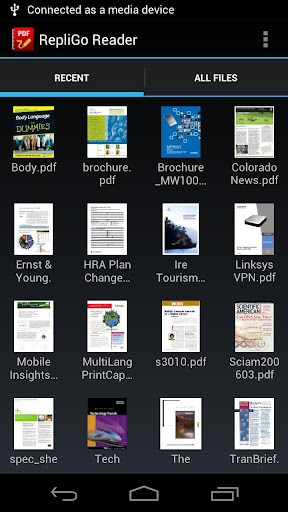
RepliGo PDF Reader apk v4.2.1 download

RepliGo PDF Reader v4.2.1
Requirements: 2.2 and up
Overview: The best way to view, annotate and fill out PDF forms while on the go!
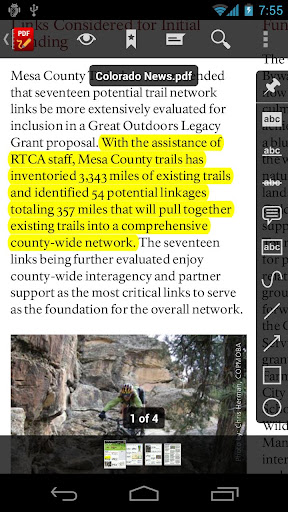
RepliGo PDF Reader enables PDF viewing, annotating and form filling. Review documents on the go by adding highlights, cross outs, underlines, sticky notes, arrows, lines, ovals, rectangles, freehand drawings and text boxes. Comments are stored as standard annotations in the original PDF file, just like Adobe® Acrobat®.
RepliGo PDF Reader also makes a great eBook reader with features like reflowed text, night mode, text-to-speech and brightness settings.
Detailed Features:
* PDF viewing, annotating and form filling of files from your email, memory card, cloud services and the Internet
* Add highlights, cross outs, underlines, sticky notes, arrows, lines, ovals, rectangles, freehand drawings and text boxes
* Adjust colors, border thickness, font size and the note for annotations
* Read documents easily with reflowed text, text-to-speech, night mode and brightness settings
* Scroll quickly through pages by swiping, tapping on the edge of the screen, or by using the volume keys
* Navigate long documents using bookmarks, comments, document links, go to page, search and thumbnails
* Click on email, map, phone and web hyperlinks to launch system applications
* Zoom in and out quickly by pinching or double-tapping on columns, images or tables
* Select text and copy it to the clipboard, or look up definitions using ColorDict
* Rotate documents into one of four orientations
* Open password protected files
* Send PDF files via email, Bluetooth and cloud services
* Keyboard and trackball support
What’s in this version:
VERSION 4.2.1
* Added Multi Window support for the Galaxy Note II. After installing this update, you must restart your device to activate this feature.
* Bug fixes.
This app has no advertisements
More Info:
Code:
 

Ghost Radar®: LEGACY apk v3.5.2 download

Ghost Radar®: LEGACY v3.5.2
Requirements: 1.6 and up
Overview: Ghost Radar® is the original application designed to detect paranormal activity.
[break]
Ghost Radar® attempts to detect paranormal activity by making various readings on the device. Traditional paranormal equipment can be easily fooled when simple mundane bursts of normal energy occur. Ghost Radar® sets itself apart by analyzing the readings and giving indications only when interesting patterns in the readings have been made.
Ghost Radar® also includes a voice to let you know when interesting words have been detected. Please note we offer no guarantees of accuracy or any warranties, therefore, since results from this application cannot be verified scientifically the app should be used for entertainment purposes.
What’s in this version:
Modified service so it doesn’t restart when packages are changed.
Modified service so it doesn’t restart when it is killed.
 
This app has no advertisements
More Info:
Code:
 

Saturday, 19 January 2013

Ghost Radar®: LEGACY apk v3.5.0 download

Ghost Radar®: LEGACY v3.5.0
Requirements: Android OS 1.5+
Overview: Spud Pickles™ presents Ghost Radar® for Android!!!

[break]
Ghost Radar® analyzes nearby energies. This application does NOT detect EMF nor gravity. Interpretations of the sensor readings are displayed using numeric, textual, and graphical readouts. Results may vary, we offer no guarantees, use for entertainment.
What’s in this version:
Added Pocket Change rewards for using Ghost Radar.
This app has no advertisements
More Info:
Code:
 

Press (Google Reader) apk v1.1.1 dowload

Press (Google Reader) v1.1.1
Requirements: 4.0 and up
Overview: Introductory price to celebrate our launch!
Press is a Google Reader app that is all about the reading experience. It has been designed with the purpose of making your news easier to read. Quickly move from screen to screen and effortlessly manage the articles you want and the ones you don’t.
We designed an app that we want to use and hopefully our attention to detail will be evident on every page.
Note: This app requires a Google Reader account to sync your RSS subscriptions.
Features:
- No ads
- Syncs with Google Reader
- Quickly manage the articles you want to read
- Offline reading support
- Clean reading environment
- Simple swipe navigation
- Image zooming
- Change reading font style and size
- Share the articles you read or star them for later
- Open articles in the app or your default browser
Details:
- Press the favicon to next to an article to "fast mark" the articles as read/unread
- Long-press the favicon to have the option to mark all older articles as read
- When reading an article, double-tap any image to get a closer look
- Also, tap the article title to read it in the browser
What’s in this version:
Version 1.1.1
- Fixed bugs and crashes
- Performance enhancements
This app has no advertisements
More Info:
Code:
 

Wednesday, 16 January 2013

Moon+ Reader Pro apk v1.8.11 download

Moon+ Reader Pro v1.8.11
Requirements: Android OS 1.6+
Overview: Your professional book reader for Android.
Professional book reader with powerful controls & full functions.
*Support online ebook libraries and personal calibre ebook server.
*Read local books with smooth scroll and tons of innovation.
Support txt/html/epub/umd/fb2/zip/OPDS, key features:
Full visual options: line space, font scale, bold, italic, shadow, alpha colors, fading edge etc.
10+ themes embedded, includes Day & Night mode switcher, 20+ background images, 20+ book covers.
Various types of paging: touch screen, volume keys or even camera, search or back keys.
24 customized operations (screen click, swipe gesture, hardware keys), apply to 15 customized events: search, bookmark, themes, navigation, font size and more.
5 auto-scroll modes: rolling blind mode; by pixel, by line or by page. Real-time speed control.
Adjust the brightness by sliding your finger along the left edge of the screen, gesture commands supported.
Intelligent paragraph; indent paragraph; trim unwanted blank spaces options.
“Keep your eyes health” options for long-time reading.
Real page turning effect with customized speed/color/transparent; 5 page flip animations;
My Bookshelf design: Favorites, Downloads, Authors, Tags; self bookcover, search, import supported.
Justified text alignment, hyphenation mode supported.
Highlight, Annotation, Dictionary (Offline & Online), Translation, Share functions all in moon+ ebook reader.
Localized in Bulgarian, Chinese, Czech, Danish, Dutch, English, French, German, Greek, Hungarian, Italian, Korean, Macedonian, Polish, Portuguese, Romanian, Russian, Slovak, Spanish, Swedish, Thai, Turkish and Ukrainian.
Additional benifits in pro version:
#Ad free
#Multi-point touch support
#Shake the phone to speak (Text-to-speech, TTS engine support)
#Option for password protection at startup
#Headset keys control
#Book to desktop shortcut support
#Customer email support
What’s in this version:
#Bugs fixed:
•Customized color of status bar useless issue
•Some mobi books loading failed issue
•Drag to select text failed issue
#Update Polish language package
#Add option for highlight without confirmation
#Delete transparent value in background color
#Delete TUEBL book site from default list (move to Moon+ Catalogs instead)
#Hide chapter list if a book was loaded before
#Speed up sync to recent list via dropbox between phone/tablet(Pro)
#Add more using tips for new users.
This app has NO advertisements
More Info:
Code:
 

Sunday, 13 January 2013

PRO PDF Reader apk v3.5.7 download

PRO PDF Reader v3.5.7
Requirements: 1.6 and up
Overview: Book and Document Reader with PDF and DjVu support for comfortable reading.

[break]
If you are looking for a good PDF reader, stop here, you have found it.
It does what you expect it to do. You can easily lay down and read pdf books and documents with this app.
The amazing enhancement dims your screen in some way that it doesn’t hurt your eyes.
Easy to set and keep scrolling. The best functional from all readers.
Functional:
1) Read mode and control mode (single tap to switch)
2) Fixate pages by width, saved on scroll
3) Search in books
4) Table of content
5) Night Mode
6) Search ALL books (PDF, DjVu) on device
7) Next Page or scroll pages by tap screen
8) Full screen mode
9) Support e-reader keys like Nook, Kindle, Sony
10) File navigation
11) Recent Books
12) Light and black theme
13) Screen orientation: Portrait, Landscape, Automatic
14) Text Bookmarks for page
15) Links History, back to page
16) Crop borders
17) Automatic Scroll
PRO Functional:
1) No Ads, No Internet permission
2) Support password protected PDF Files
3) Filter Search result
4) Sort search result by Name, Path, Size (Ascending, Descending)
5) Application screen brightness
6) Set custom keys for scroll next previous page
The best pdf reader for android.
==3.5.x==
Swipe page gestures in lock mode (Nicholas zmeyfly)
Swipe page gestures with animation (Nicholas zmeyfly)
Recover default system brightness (Katya)
Screen off when idle (Guy Cramp)
Fixed light theme for older devices
Fixed search of books for older devices
Fixed full-screen reading mode for Nexus 7 (Paul Hodges)
This app has no advertisements
More Info:
Code:
 

Saturday, 29 December 2012

QQ Browser apk v3.0.1 download


QQ Browser apk v3.0.1 download
 QQ Browser apk v3.0.1 download
Requirements: Android v2.1+
Overview: Use QQ Browser, your best Android gear to discover everything!
Designed by Tencent Mobile International –Top 4 Internet companies in the world (Google, Facebook, Amazon, Tencent). 300,000,000 users are using QQ Browser every day.

About Tencent:
★ No.4 of The World’s Most Innovative Companies by Forbes
(The World's Most Innovative Companies List - Forbes)
★ No.8 of The World’s 50 Most Innovative Companies in 2012 by Fast Company (Tencent: The World)

Use QQ Browser, your best Android gear to discover everything!

★ The FASTEST, SMARTEST and HEALTHIEST mobile browser to access thousands of hot sites!
★ Hot videos, games, applications and news are just clicks away!
★ Languages supported: English, Korean, Indonesian, Thai.
QQ Browser apk v3.0.1 download
Cool Features:
1) We care about your privacy--Select “Private Mode” to make your browsing safe and secure.
2) You can search for anything--Google, Naver, Yahoo, Bing are all integrated.
3) Try our powerful Download Manager--It offers the fastest download speed and effective file management.
4) Check out the user-friendly Start Screen--Left: 12 editable speed dials; Right: links to abundant hot sites.
5) Viewing multiple windows can save time--Click “Multi-window Management” to control or easily switch between opened windows.
6) Share what you’re reading with your friends--Click “Share” in menu, long-press a webpage/downloaded file, then you can easily share everything with your friends.
7) Scan QR Code--Use QQ Browser to auto-scan a QR code and find what you want.
8) Your health matters to us--Select Night Mode in menu to protect your eyes when you read in the dark.

QQ Browser apk v3.0.1 Search Keywords:
browser, qqbrowser, qq browser, qq, mobile, Wap Browser, browsers, best browser, best mobile browser, mobile browser, browser for mobile, browser for android, browser on android, browser in android, android browser, QR, QR code, file manager, file management, share, private, private mode, private browsing, save money, tool, communication, video, hot video, videos, safe browsing, smart, speedy, compression, pre-load, pre load, pre-fetch, prefetch, auto-complete, cookies, speed dial, night mode, day mode, favorite sites, worms, fast

Your voice is IMPORTANT to us!
Please talk to us on Facebook: QQ Browser | Facebook

Recent changes:
- Powerful Search Features: Major search engines such as Google, Naver, Yahoo, Bing are supported. Search for QR codes is also available.
- Improved Download Function: Faster speed, friendly interaction, file sorting, photo preview before download.
- Privacy Mode: Your browsing experience is safe and secure.
- Sharing: Share your favorite sites on Facebook, Twitter or through SMS.
- New language added: Korean.
Less description »
QQ Browser apk v3.0.1 download
Latest version: 3.0.1 (for Android version 2.1 and higher, supports App2SD)
More Info:
Code:
 

Barcode Scanner apk v4.2 download


Barcode Scanner apk v4.2 download
Requirements: Android v2.1+
Overview: Scan barcodes on products then look up prices and reviews. You can also scan Data Matrix and QR Codes containing URLs, contact info, etc.
Barcode Scanner apk v4.2 download
Scan barcodes on products then look up prices and reviews. You can also scan Data Matrix and QR Codes containing URLs, contact info, etc.

Also share your contacts, apps, and bookmarks via QR Code. This is why contacts permissions are needed. See FAQ below.

Barcode Scanner apk v4.2 Recent changes:
* Rewrote the autofocus code to be more reliable.
* Started using continuous focus mode on devices which support it.
* Made the volume buttons turn the front light on and off.
* Added support for 2 digit EAN extension codes.
* Fixed a few crashes.
* Fixed another compatibility problem with the Galaxy Tab.
* Improved French, Dutch, and Finnish translations.
Barcode Scanner apk v4.2 download
Latest version: 4.2 (for Android version 2.1 and higher, supports App2SD)
More Info:
Code:
 

Saturday, 22 December 2012

AutoReader 3D apk v1.2.1 download


AutoReader 3D v1.2.1
AutoReader 3D v1.2.1 apk
RequirementsAndroid 2.2+
Overview: Turn reading into a useful and fascinating process, that reduces eye strain.
This is not just another text reader.
AutoReader 3D v1.2.1
Our text reader has several unique features:
- in Reader mode flashes words or phrases one by one sequentially on the screen, with regulated speed.
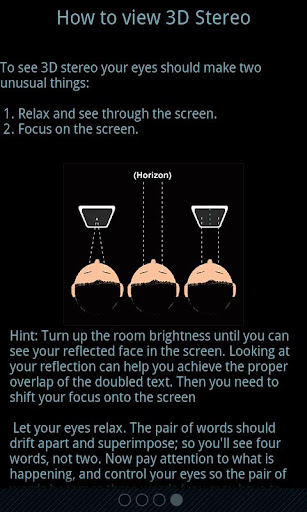
- in 3D Stereo mode you can read with 3D effect on any device.
AutoReader 3D apk v1.2.1 download
- in overview mode you can scroll or flip pages in the same time.
- support pinch, spread and rotate gestures to change text size or screen orientation any time you need.
These features allows to turn reading into a useful and fascinating process, and reduce eye strain.
AutoReader allows to read much larger text, what’s important not only for people with impaired vision.
But also, for example, in transport, on the go, on the running machine, etc. when focusing on a small text tiring for the eyes or impossible.
Moreover, 3D Stereo mode can even be beneficial for the eyes, if done right, the visual axis
are parallel (as when looking at the horizon), which relaxes the external eye muscles, and the focus is on the stereo pair,
that helps to synchronize the focus of both eyes, which is also useful, as it’s often one eye focuses better than the other (we can be unaware of it, but simply feel tired).
Read for the benefit of your eyes! But that’s not all, AutoReader allows you to read faster than usual.
AutoReader increases the speed of reading and helps get rid of subvocalization, one of the main factors slowing down the reading process. Subvocalization – it is hidden, unconscious movement of the lips, tongue and other organs of speech.
The habit to pronounce the words formed in the childhood, when learning to read, and does not disappear completely, without any special training.
Try to gradually increase the speed of displaying words (slide your finger up the screen), with the growth of speed the vocal apparatus is no longer keep up with the volume of information and no longer involved in the processing – information from the visual analyzer will be immediately sent to the meaning.
The feel is cool, as if you just catch the author’s idea, not a speech.
You realize that you can read much faster and without much effort.
List of features:
- Built-in file browser.
- Supported formats. Txt, Txt.zip, Fb2, Fb2.zip, Epub, (PDF, DOC and others are comming soon).
- Automatic detection of encoding.
- Smooth scrolling text (finger up / down).
- Flipping through the pages (finger left / right).
- Go to a random page number.
- Change the text size “on the fly” (zoom with two fingers).
- Rotate the screen at any time in any mode (tap the screen with two fingers and rotate it 90 degrees).
- Double click to go to another mode (from Overview mode to Reader, from mono to 3D Stereo mode and vice versa).
AutoReader 3D apk v1.2.1
- Infinitely variable speed of text Reader (finger up / down the screen).
- View and move to the previous or next sentence in the Reader mode (finger left / right on the screen).
- Settings for the font, text color and background color.
- Select from over 20 background images for the Reader.
- Built-in help for gestures and 3D Stereo mode.
- Quick feedback to developers (us).
If you’ll get an error, please don’t leave bad comment right away. Leave us a chance to fix it, send the error report (you’ll see that option) and your comments. We are trying hard to make it work on every device.
What’s in this version:
v 1.2.1 – improved support of Android 4 and tablets
v 1.2.0 – Stereo span setting added to reduce the span between words in 3D Stereo mode, helpful for beginners.
AutoReader 3D apk v1.2.1 download
v. 1.1.2 – shows tutorial on the first run
v. 1.1.1 – bug fixes in Kindle Fire, common bug fixes
v. 1.1.0 – improved support of tablets, particularly Kindle Fire, bug fixes
Free AutoReader 3D v1.2.1 apk
 

Friday, 21 December 2012

Moon+ Reader Pro apk v1.8.8 download

Moon+ Reader Pro v1.8.8
Requirements: Android OS 1.6+
Overview: Your professional book reader for Android.
Professional book reader with powerful controls & full functions.
*Support online ebook libraries and personal calibre ebook server.
*Read local books with smooth scroll and tons of innovation.
Support txt/html/epub/umd/fb2/zip/OPDS, key features:
Full visual options: line space, font scale, bold, italic, shadow, alpha colors, fading edge etc.
10+ themes embedded, includes Day & Night mode switcher, 20+ background images, 20+ book covers.
Various types of paging: touch screen, volume keys or even camera, search or back keys.
24 customized operations (screen click, swipe gesture, hardware keys), apply to 15 customized events: search, bookmark, themes, navigation, font size and more.
5 auto-scroll modes: rolling blind mode; by pixel, by line or by page. Real-time speed control.
Adjust the brightness by sliding your finger along the left edge of the screen, gesture commands supported.
Intelligent paragraph; indent paragraph; trim unwanted blank spaces options.
“Keep your eyes health” options for long-time reading.
Real page turning effect with customized speed/color/transparent; 5 page flip animations;
My Bookshelf design: Favorites, Downloads, Authors, Tags; self bookcover, search, import supported.
Justified text alignment, hyphenation mode supported.
Highlight, Annotation, Dictionary (Offline & Online), Translation, Share functions all in moon+ ebook reader.
Localized in Bulgarian, Chinese, Czech, Danish, Dutch, English, French, German, Greek, Hungarian, Italian, Korean, Macedonian, Polish, Portuguese, Romanian, Russian, Slovak, Spanish, Swedish, Thai, Turkish and Ukrainian.
Additional benifits in pro version:
#Ad free
#Multi-point touch support
#Shake the phone to speak (Text-to-speech, TTS engine support)
#Option for password protection at startup
#Headset keys control
#Book to desktop shortcut support
#Customer email support
What’s in this version:
v1.8.8
#Integrate Dropbox to Local Files:
•Open book files in Dropbox directly
•Download/Upload book files via Dropbox
•Remote file control to Dropbox
•Backup reading book file option
#Optimize Epub inner links (e.g., Bible books)
#Update local calibre opds input dialog
#Better cbr/cbz comic books support
#Simplify Main UI
This app has NO advertisements
More Info:
Code:

Thursday, 20 December 2012

Moon Reader Pro apk v1.8.3 build 183001 download


Moon Reader Pro v1.8.3 build 183001
Moon Reader Pro v1.8.3 build 183001 apk
Requirements: Android OS 1.6+
Overview: Your professional book reader for Android.
Moon Reader Pro v1.8.3 build 183001
Professional book reader with powerful controls & full functions.
*Support online ebook libraries and personal calibre ebook server.
*Read local books with smooth scroll and tons of innovation.
Support txt/html/epub/umd/fb2/zip/OPDS, key features:
Full visual options: line space, font scale, bold, italic, shadow, alpha colors, fading edge etc.
10+ themes embedded, includes Day & Night mode switcher, 20+ background images, 20+ book covers.
Various types of paging: touch screen, volume keys or even camera, search or back keys.
24 customized operations (screen click, swipe gesture, hardware keys), apply to 15 customized events: search, bookmark, themes, navigation, font size and more.
5 auto-scroll modes: rolling blind mode; by pixel, by line or by page. Real-time speed control.
Adjust the brightness by sliding your finger along the left edge of the screen, gesture commands supported.
Intelligent paragraph; indent paragraph; trim unwanted blank spaces options.
“Keep your eyes health” options for long-time reading.
Real page turning effect with customized speed/color/transparent; 5 page flip animations;
My Bookshelf design: Favorites, Downloads, Authors, Tags; self bookcover, search, import supported.
Justified text alignment, hyphenation mode supported.
Highlight, Annotation, Dictionary (Offline & Online), Translation, Share functions all in moon+ ebook reader.
Localized in Bulgarian, Chinese, Czech, Danish, Dutch, English, French, German, Greek, Hungarian, Italian, Korean, Macedonian, Polish, Portuguese, Romanian, Russian, Slovak, Spanish, Swedish, Thai, Turkish and Ukrainian.
Additional benifits in pro version:
#Ad free
#Multi-point touch support
#Shake the phone to speak (Text-to-speech, TTS engine support)
#Option for password protection at startup
#Headset keys control
#Book to desktop shortcut support
#Customer email support
What’s in this version:
#Improve Pdf compatibility with various languages, font styles and typesettings.
#Improve inner link performance for epub books.
#Add status bar click events to Control Options.
#Support open CBZ/CBR books directly from file manager Apps.
#Update Korean language package.
#Miscellaneous small optimizations for reading progress, turning page, etc.
This app has NO advertisements
Free Moon Reader Pro v1.8.3 build 183001 apk
 

RepliGo PDF Reader apk v4.1.2 download

RepliGo PDF Reader v4.1.2
Requirements: Android 2.0 and up
Overview: The best way to view, annotate and fill out PDF forms while on the go!
RepliGo PDF Reader enables PDF viewing, annotating and form filling. Review documents on the go by adding highlights, cross outs, underlines, sticky notes, arrows, lines, ovals, rectangles, freehand drawings and text boxes. Comments are stored as standard annotations in the original PDF file, just like Adobe® Acrobat®.
RepliGo PDF Reader also makes a great eBook reader with features like reflowed text, night mode, text-to-speech and brightness settings.
Detailed Features:
* PDF viewing, annotating and form filling of files from your email, memory card, cloud services and the Internet
* Add highlights, cross outs, underlines, sticky notes, arrows, lines, ovals, rectangles, freehand drawings and text boxes
* Adjust colors, border thickness, font size and the note for annotations
* Read documents easily with reflowed text, text-to-speech, night mode and brightness settings
* Scroll quickly through pages by swiping, tapping on the edge of the screen, or by using the volume keys
* Navigate long documents using bookmarks, comments, document links, go to page, search and thumbnails
* Click on email, map, phone and web hyperlinks to launch system applications
* Zoom in and out quickly by pinching or double-tapping on columns, images or tables
* Select text and copy it to the clipboard, or look up definitions using ColorDict
* Rotate documents into one of four orientations
* Open password protected files
* Send PDF files via email, Bluetooth and cloud services
* Keyboard and trackball support
What’s in this version:
* Fixed issue drawing annotations with the Galaxy Note II stylus.
This app has no advertisements
More Info:
Code:
 

Tuesday, 18 December 2012

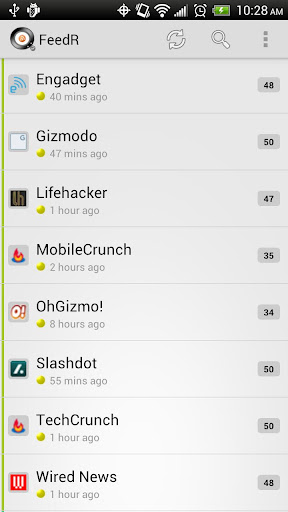
FeedR News Reader apk v2.1.13 download


FeedR News Reader v2.1.13
FeedR News Reader v2.1.13 apk
Requirements: Android 2.2+
Overview: Powerful feed reader for use with or without Google Reader.
FeedR News Reader v2.1.13
Search & preview feeds; read offline with images, mobile view, customizable interface.
rss|atom|podcasts
News reader for RSS/Atom feeds equipped with Feed Search and other great features. Simply search for keywords or site name (e.g. ‘sports news’ or ‘cnn’), tap the result to preview, add and enjoy!
FEATURES:
* Expandable list allows to read articles without leaving the list as well as read only articles that interest you
* Feed Search with Preview will allow you to build your feed library quickly and easily
* Offline reading with images (configured per feed) ensures that you can read even when not connected
* Google Reader sync (use with your device’s default Google account or enter alternative credentials)
* One-click access to “mobilized” version of article for faster/easier web browsing
* Ability to view article comments and subscribe to comments feeds
* Widgets and shortcuts on home screen
* 3 widget sizes: 4×1, 4×2 and 4×3
* Each widget can be configured to rotate through selected feeds at set interval or manually
* Choose between dark or light theme
* Customizable storage, update frequency, notifications, etc.
* Backup/restore to SD
* Full-screen view with swipe to next or previous article
* Zoomable view with pinch-to-zoom
* Supports adding articles to ReadItLater
Note: To use widgets please install the app to internal memory, not SD. (You can still store your feeds on SD via the option in Settings)
This App has NO advertisements
Free FeedR News Reader v2.1.13 apk
 

RepliGo PDF Reader apk v4.1.0 download

RepliGo PDF Reader v4.1.0
RepliGo PDF Reader v4.1.0 apk
Requirements: Android 2.0 and up
Overview: The best way to view, annotate and fill out PDF forms while on the go!
RepliGo PDF Reader v4.1.0
RepliGo PDF Reader enables PDF viewing, annotating and form filling. Review documents on the go by adding highlights, cross outs, underlines, sticky notes, arrows, lines, ovals, rectangles, freehand drawings and text boxes. Comments are stored as standard annotations in the original PDF file, just like Adobe® Acrobat®.
RepliGo PDF Reader also makes a great eBook reader with features like reflowed text, night mode, text-to-speech and brightness settings.
Detailed Features:
* PDF viewing, annotating and form filling of files from your email, memory card, cloud services and the Internet
* Add highlights, cross outs, underlines, sticky notes, arrows, lines, ovals, rectangles, freehand drawings and text boxes
* Adjust colors, border thickness, font size and the note for annotations
* Read documents easily with reflowed text, text-to-speech, night mode and brightness settings
* Scroll quickly through pages by swiping, tapping on the edge of the screen, or by using the volume keys
* Navigate long documents using bookmarks, comments, document links, go to page, search and thumbnails
* Click on email, map, phone and web hyperlinks to launch system applications
* Zoom in and out quickly by pinching or double-tapping on columns, images or tables
* Select text and copy it to the clipboard, or look up definitions using ColorDict
* Rotate documents into one of four orientations
* Open password protected files
* Send PDF files via email, Bluetooth and cloud services
* Keyboard and trackball support
What’s in this version:
* Added auto-save setting to automatically save changes made to documents.
* New feature for adding personal bookmarks to any document.
* Added support for printing documents via Google Cloud Print.
* New sepia theme for easier document viewing.
* New feature for reading the selected text out loud.
* Added feature to clear selected documents from the recently viewed list.
* Added file and location information to the file properties screen.
* Miscellaneous bug fixes and speed improvements.
This app has no advertisements
Free RepliGo PDF Reader v4.1.0 apk
 

gReader Pro (Google Reader) apk v3.1.0 download

gReader Pro (Google Reader) v3.1.0
Requirements: Android OS 1.5+
Overview: gReader is an unofficial Google Reader client for Android. Read all your rss/feed news in one place with Google Reader, where keeping up with your favorite websites is as easy as checking your email.

gReader is an unofficial Google Reader client for Android. Read all your rss/feed news in one place with Google Reader, where keeping up with your favorite websites is as easy as checking your email. More on gReader (Google Reader | RSS) | Home
NOTES:
* Please let us know of any issues you encounter via email.
* If you still get ads: Clear the cache of the market and check the license in gReader again (Menu->More->Check License)
* Read the FAQ before commenting: FAQ | gReader (Google Reader | RSS)
* You want to suggest new features or report issues, use the Feedback button.
* Localization If you are interested in translating gReader to other languages, visit http://bit.ly/gr_translate
* Beta: Beta | gReader (Google Reader | RSS)
* Play Store: https://play.google.com/store/apps/d…ader.readerpro
FEATURES (PRO):
* Support developers
* Ad free version
* Better Widgets (Ticker)
* Downloading Podcasts
* Voice-Reading
FEATURES:
* Google Reader synchronization: Use gReader at home, at your office, or anywhere you go and keep your feeds, tags and shared items synched in one place.
* 2-Way Sync: Synchronize your read items between gReader and Google Reader. Keep your articles up-to-date
* Auto synchronization
* User Interface: Simple, fast and intuitive
* Tablet optimized: Read your news more comfortable on a tablet
* Themes: Light, Black and Dark
* Night Mode: Read your articles with white font on black background. Save battery and increase readability in the night.
* Offline Reading with full article content
* Mark read on scroll
* Podcast support (streaming)
* Voice-Reading (Text-To-Speech)
* Folders / Tags support
* Notification
* Share articles via Email, Facebook, Twitter, …
* Services: Tranlation, Mobilizer
* Save to Pocket (Read it later) / Instapaper / Readability
* Search feature: Search and filter keywords, save search results
* Sort: by newest, by oldest, by feed
* Quick and swipe actions: faster access to funtions
* Rich article list (snippet and thumbnail)
* Widget: Icon widget with unread badge
* Easy Reading: Reading mode view, inverse webpage color
* Quick actions, Swipe actions
* Fullscreen mode: Enlarge your reading space
* Recommended items / sources
* HTTPS connection: Use Http Secure to get your feeds
* App2SD
* OAUTH
* Backup/Restore: Backup/Restore your preferences
What’s in this version:
* If you encounter any issues feel free to contact us.
What’s new in v3.1.0
* Added: Falcon Pro (Twitter client) support
* Added: Read aloud unread items for folder/tag/subscription
* Improved: User interface for tablet
* Fixed: Image loading issue
* Fixed: Download podcast
* Fixed: Voice-Reading issue
What’s new in v3.0.8
* Added: Thumbnails on widget
* Added: Lockscreen widget support
* Added: MultiWindow support
* Added: Search filter operators: | – or, & – and ! – not
This app has NO advertisements
More Info:
Code:
 

Monday, 17 December 2012

RepliGo PDF Reader apk v4.1.0 download

Requirements: Android 2.0 and up
Overview: The best way to view, annotate and fill out PDF forms while on the go!


RepliGo PDF Reader enables PDF viewing, annotating and form filling. Review documents on the go by adding highlights, cross outs, underlines, sticky notes, arrows, lines, ovals, rectangles, freehand drawings and text boxes. Comments are stored as standard annotations in the original PDF file, just like Adobe® Acrobat®.

RepliGo PDF Reader also makes a great eBook reader with features like reflowed text, night mode, text-to-speech and brightness settings.

Detailed Features:
* PDF viewing, annotating and form filling of files from your email, memory card, cloud services and the Internet
* Add highlights, cross outs, underlines, sticky notes, arrows, lines, ovals, rectangles, freehand drawings and text boxes
* Adjust colors, border thickness, font size and the note for annotations
* Read documents easily with reflowed text, text-to-speech, night mode and brightness settings
* Scroll quickly through pages by swiping, tapping on the edge of the screen, or by using the volume keys
* Navigate long documents using bookmarks, comments, document links, go to page, search and thumbnails
* Click on email, map, phone and web hyperlinks to launch system applications
* Zoom in and out quickly by pinching or double-tapping on columns, images or tables
* Select text and copy it to the clipboard, or look up definitions using ColorDict
* Rotate documents into one of four orientations
* Open password protected files
* Send PDF files via email, Bluetooth and cloud services
* Keyboard and trackball support
What's in this version:
* Added auto-save setting to automatically save changes made to documents.
* New feature for adding personal bookmarks to any document.
* Added support for printing documents via Google Cloud Print.
* New sepia theme for easier document viewing.
* New feature for reading the selected text out loud.
* Added feature to clear selected documents from the recently viewed list.
* Added file and location information to the file properties screen.
* Miscellaneous bug fixes and speed improvements.
This app has no advertisements
More Info:
Code:
 

Saturday, 15 December 2012

RepliGo PDF Reader apk v4.1.1 downlaod

Requirements: Android 2.0 and up
Overview: The best way to view, annotate and fill out PDF forms while on the go!


RepliGo PDF Reader enables PDF viewing, annotating and form filling. Review documents on the go by adding highlights, cross outs, underlines, sticky notes, arrows, lines, ovals, rectangles, freehand drawings and text boxes. Comments are stored as standard annotations in the original PDF file, just like Adobe® Acrobat®.

RepliGo PDF Reader also makes a great eBook reader with features like reflowed text, night mode, text-to-speech and brightness settings.

Detailed Features:
* PDF viewing, annotating and form filling of files from your email, memory card, cloud services and the Internet
* Add highlights, cross outs, underlines, sticky notes, arrows, lines, ovals, rectangles, freehand drawings and text boxes
* Adjust colors, border thickness, font size and the note for annotations
* Read documents easily with reflowed text, text-to-speech, night mode and brightness settings
* Scroll quickly through pages by swiping, tapping on the edge of the screen, or by using the volume keys
* Navigate long documents using bookmarks, comments, document links, go to page, search and thumbnails
* Click on email, map, phone and web hyperlinks to launch system applications
* Zoom in and out quickly by pinching or double-tapping on columns, images or tables
* Select text and copy it to the clipboard, or look up definitions using ColorDict
* Rotate documents into one of four orientations
* Open password protected files
* Send PDF files via email, Bluetooth and cloud services
* Keyboard and trackball support

What's in this version:
* Added auto-save setting to automatically save changes made to documents.
* New feature for adding personal bookmarks to any document.
* Added support for printing documents via Google Cloud Print.
* New sepia theme for easier document viewing.
* New feature for reading the selected text out loud.
* Added feature to clear selected documents from the recently viewed list.
* Added file and location information to the file properties screen.
* Miscellaneous bug fixes and speed improvements.
This app has no advertisements
More Info:
Code:
 

Saturday, 8 December 2012

gReader Pro (Google Reader) apk v3.0.8 download

gReader Pro (Google Reader) v3.0.8
Requirements: Android OS 1.5+
Overview: gReader is an unofficial Google Reader client for Android. Read all your rss/feed news in one place with Google Reader, where keeping up with your favorite websites is as easy as checking your email.
[break]
gReader is an unofficial Google Reader client for Android. Read all your rss/feed news in one place with Google Reader, where keeping up with your favorite websites is as easy as checking your email. More on gReader (Google Reader | RSS) | Home
NOTES:
* Please let us know of any issues you encounter via email.
* If you still get ads: Clear the cache of the market and check the license in gReader again (Menu->More->Check License)
* Read the FAQ before commenting: FAQ | gReader (Google Reader | RSS)
* You want to suggest new features or report issues, use the Feedback button.
* Localization If you are interested in translating gReader to other languages, visit http://bit.ly/gr_translate
* Beta: Beta | gReader (Google Reader | RSS)
* Play Store: https://play.google.com/store/apps/d…ader.readerpro
FEATURES (PRO):
* Support developers
* Ad free version
* Better Widgets (Ticker)
* Downloading Podcasts
* Voice-Reading
FEATURES:
* Google Reader synchronization: Use gReader at home, at your office, or anywhere you go and keep your feeds, tags and shared items synched in one place.
* 2-Way Sync: Synchronize your read items between gReader and Google Reader. Keep your articles up-to-date
* Auto synchronization
* User Interface: Simple, fast and intuitive
* Tablet optimized: Read your news more comfortable on a tablet
* Themes: Light, Black and Dark
* Night Mode: Read your articles with white font on black background. Save battery and increase readability in the night.
* Offline Reading with full article content
* Mark read on scroll
* Podcast support (streaming)
* Voice-Reading (Text-To-Speech)
* Folders / Tags support
* Notification
* Share articles via Email, Facebook, Twitter, …
* Services: Tranlation, Mobilizer
* Save to Pocket (Read it later) / Instapaper / Readability
* Search feature: Search and filter keywords, save search results
* Sort: by newest, by oldest, by feed
* Quick and swipe actions: faster access to funtions
* Rich article list (snippet and thumbnail)
* Widget: Icon widget with unread badge
* Easy Reading: Reading mode view, inverse webpage color
* Quick actions, Swipe actions
* Fullscreen mode: Enlarge your reading space
* Recommended items / sources
* HTTPS connection: Use Http Secure to get your feeds
* App2SD
* OAUTH
* Backup/Restore: Backup/Restore your preferences
What’s in this version:
* If you encounter any issues feel free to contact us.
* JB issue: contact developer
What’s new in v3.0.8
* Added: Thumbnails on widget
* Added: Lockscreen widget support
* Added: MultiWindow support
* Added: Offline reading for all unread items
* Improved: Text-To-Speech
* Changed: Search filter operators: | – or, & – and ! – not
* Changed: Endless scroll for article list
* Changed: Commenting on articles can be disabled
* Changed: Pinch zoom can be disabled
* Fixed: Swipe action animation
This app has NO advertisements
More Info:
Code: